The Resin workspace
From the first connection
to the finished board.
Explore an idea, draw the circuit, and shape the board. Work in one browser-based project, with Resin AI beside your design.
Try Resin for freeSchematic design
Turn requirements
into a circuit.
Describe what the board needs to do. Resin AI can explore architectures, propose real part choices, and draft a schematic you can inspect and edit on the canvas.
Explore schematic editing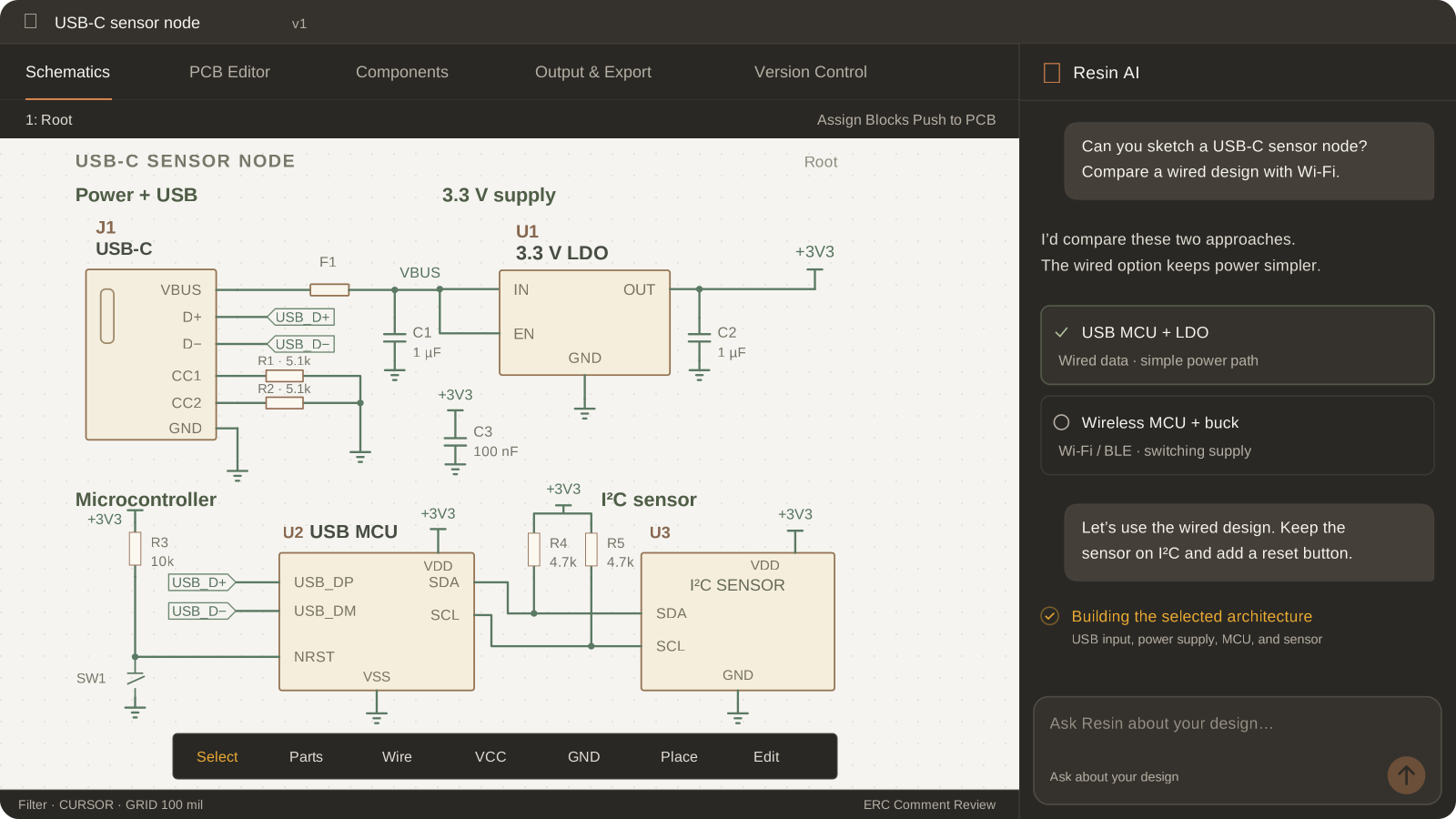
Make the tradeoffs early.
Compare architectures and components against your power, interface, and space requirements before you commit.
Own every connection.
Change any part, edit any net, run electrical checks, or undo an AI edit as the design develops.
Build on real parts.
Work through part choices and datasheets with AI, then inspect the symbols, properties, and connections in the schematic.
Library generation
Never hunt for
a library again.
Search by part number or describe what you need. Resin helps you find a matching part and inspect its specifications and datasheet.
If the library part is missing, Resin can create a symbol and footprint from the datasheet. Review the generated assets, make any changes, then save them to your project or library.
Work with your components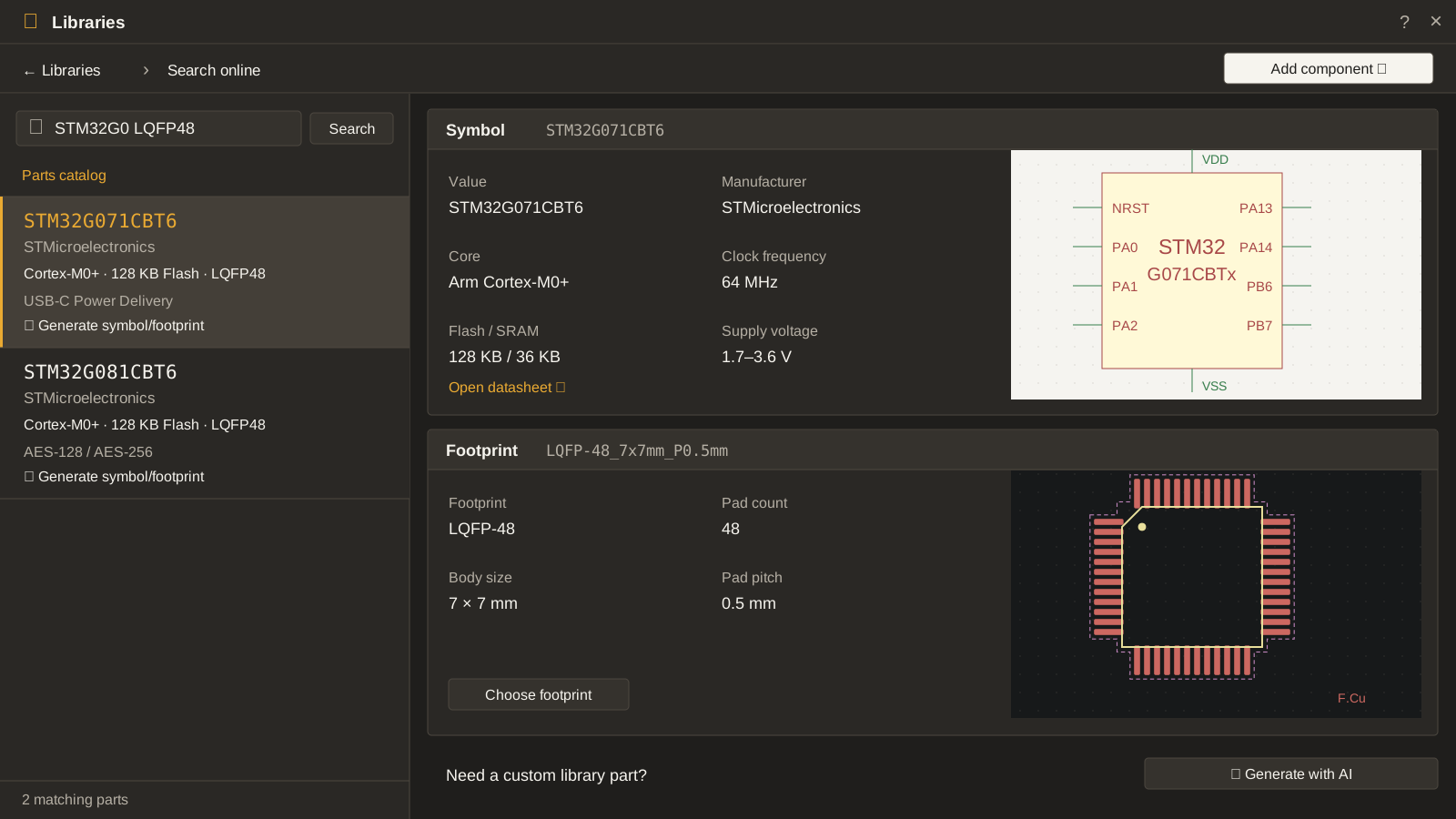
PCB layout & routing
Turn intent into
routed copper.
Place your components, choose the copper layers, and set the routing constraints. Ask Resin to route selected nets or the whole board, then refine the tracks and vias yourself.
Explore board layout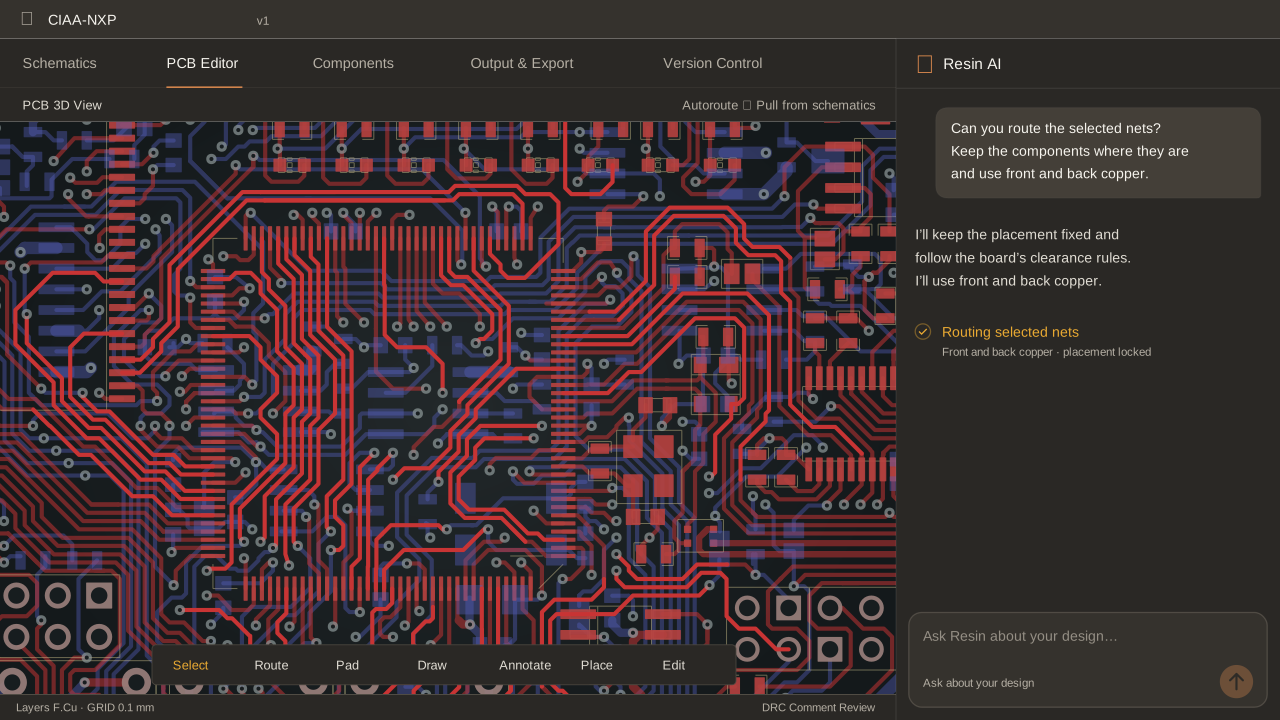
Route by your rules.
Set your layers, widths, and clearances before Resin starts connecting the board.
Ask for the routes you need.
Route a selected group or the whole board while keeping the request beside the layout.
Take over anywhere.
Move a track, adjust a via, and work through design-rule findings directly on the canvas.
Checks & design review
Look closely.
Ask a better question.
Ask Resin AI about a particular connection or a design decision. Keep its suggestions next to the circuit, and use electrical and design-rule checks to work through the details.
Work through design checks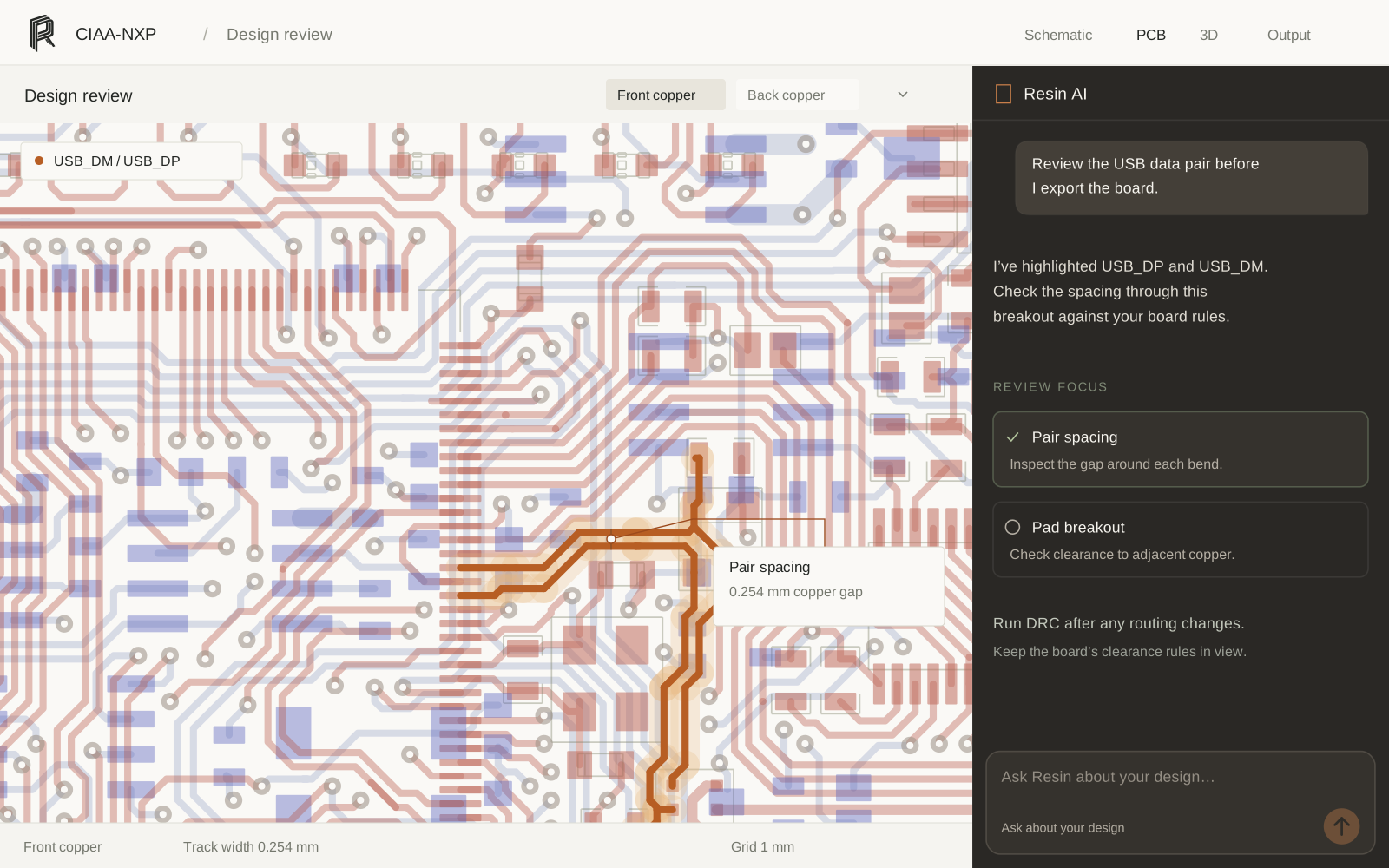
Follow the schematic finding.
Run electrical rules checks and inspect the pins and nets behind a result.
Review the board rules.
Check clearances and widths, then open findings at the objects they reference.
Keep the decision in your hands.
Review AI suggestions against the design and your requirements before making a change.
3D inspection
A different view.
The same board.
Turn the board over and look at the assembly from another angle. Inspect assigned component models, connector orientation, and placement before preparing the mechanical handoff.
Explore 3D and release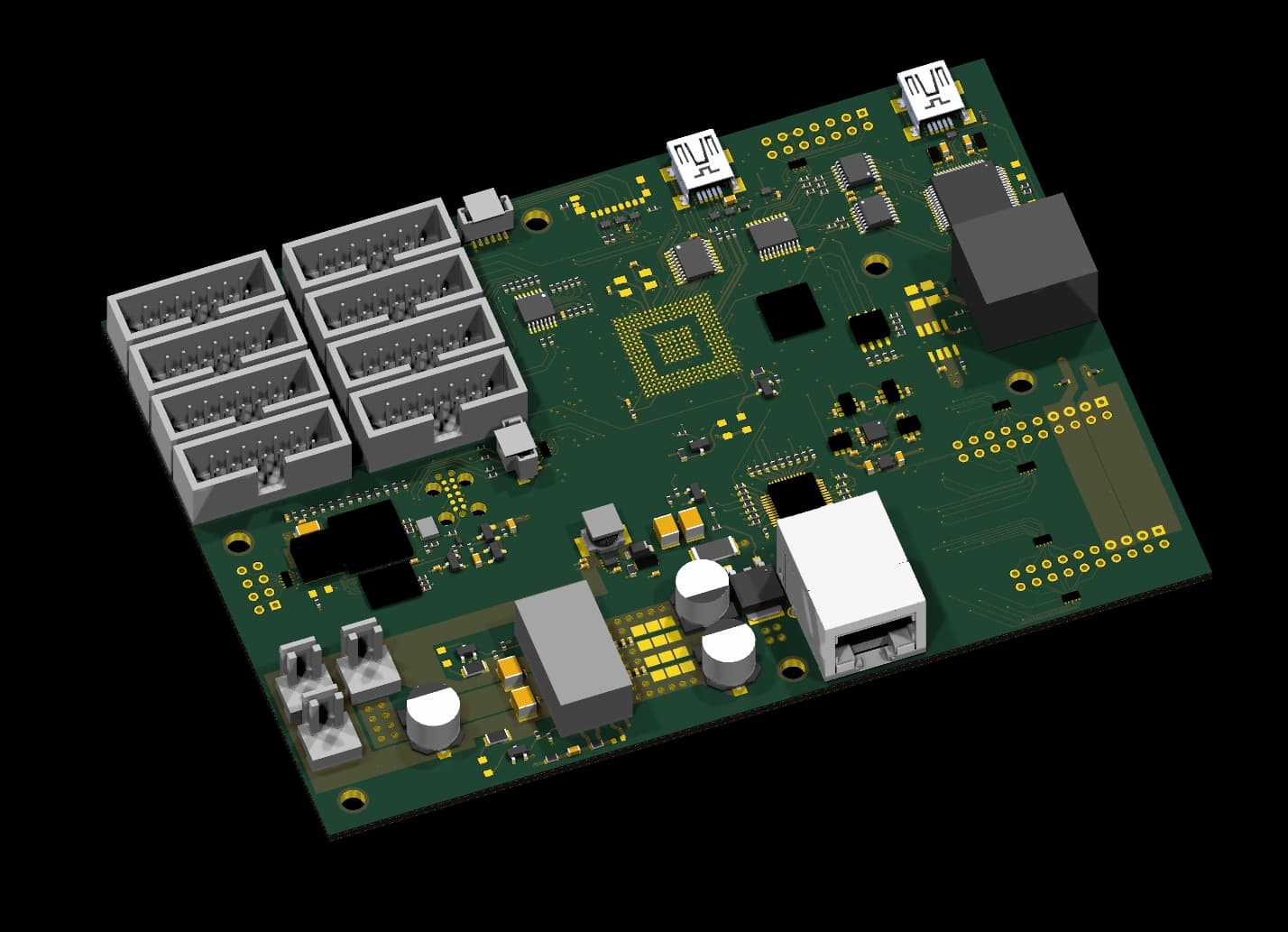
Manufacturing
Ready for
the factory.
Prepare the files your fabricator and assembler need. Review your layers and outputs, then export Gerber and drill files, the bill of materials, and pick-and-place data.
See export formats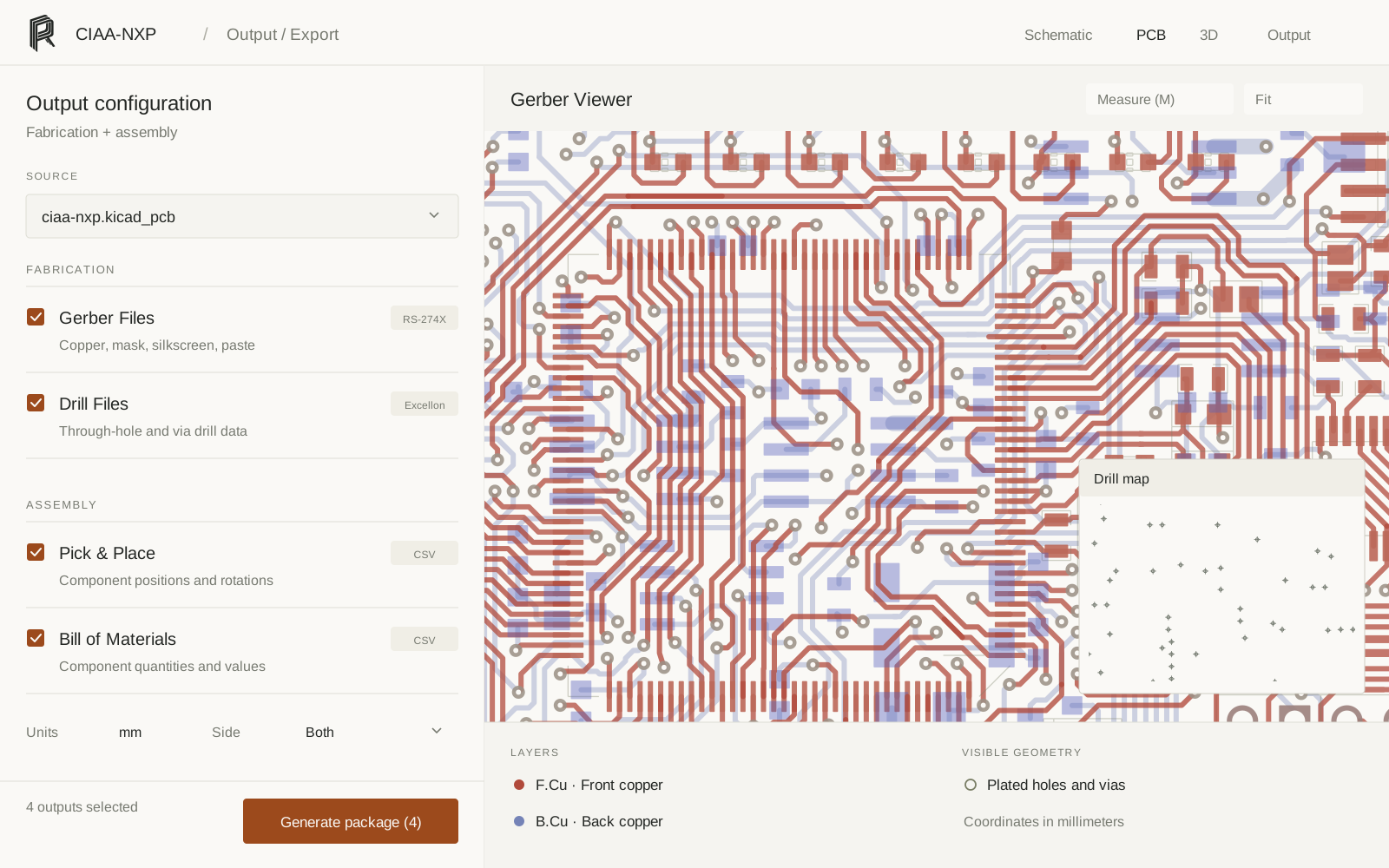
Import & export
Bring your work.
Keep your freedom.
Open an Altium or KiCad project and continue working on its schematic and board. Bring the libraries and models along, so your parts keep the information they need.
Import a projectAltium & KiCad
Start from your existing files. The import guide covers supported formats, libraries, and version-specific considerations.
Editable design files
Export your project in KiCad or Altium formats and carry the work forward.
Fabrication, assembly & mechanical
Prepare manufacturing files and a STEP model for the people building around your board.
From an idea to something real
What will you
build next?
Your next circuit starts in the browser.
Try Resin for free