Freeze the release candidate
Identify the reviewed project revision, board, variant, output configuration, and intended receiver.
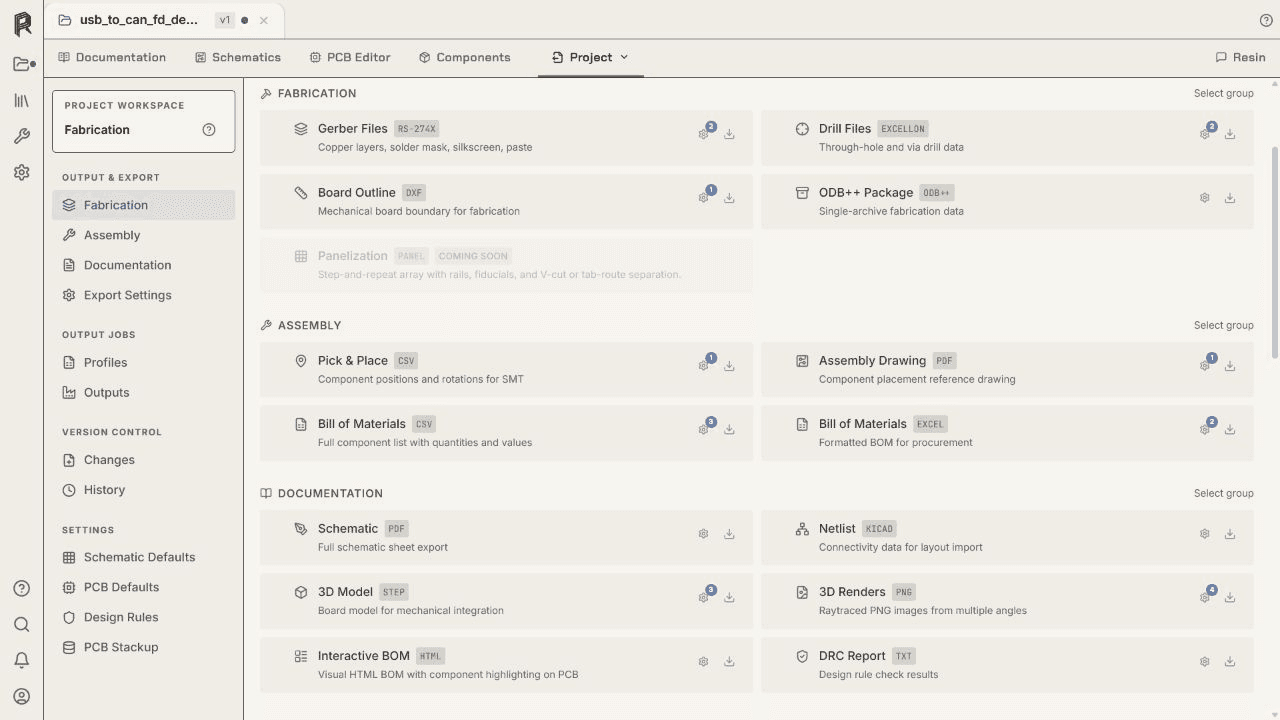
Manufacturing release
Start from the reviewed board and selected assembly variant, configure the fabrication and assembly package, inspect it independently, and hand off the exact release candidate.
No credit card required.
Workflow
Identify the reviewed project revision, board, variant, output configuration, and intended receiver.
Configure fabrication layers, drills, BOM, placement, drawings, naming, units, origins, and other requested files.
Produce the complete set, open it with appropriate independent tools, and compare key values with the source project.
Keep the intended receiver, board revision, assembly variant, output settings, and archive identity with the released package.
Return any fabrication or assembly question to the matching project revision, update the source when needed, and generate a new identified package.
Resin EDA
Start with a new or imported board and keep every engineering decision visible.
Questions about team access, security review, or purchasing? Write to hello@resineda.com.